Tag Inheritance - A valuable CloudFormation feature
October 31, 2020
Tagging is a crucial aspect of Management and Governance of AWS Accounts of any individual or organization.
Here are some advantages of tagging your AWS resources:
- Organize AWS resources - Filter all resources with a particular tag
- Use tags for Cost Allocation - what Application costs the most?
- Use tags for automation - opt/in out your ec2 instances to stop in evenings/weekends
- Use tags for Access Control - Restrict EC2 API calls in resources tagged as Production
I got these four advantages from an AWS Documentation page. Click here to read more.
Now we have established that tagging is useful. Let’s look at how Cloudformation allows Tag Inheritance to simplify the tagging of resources in a stack.
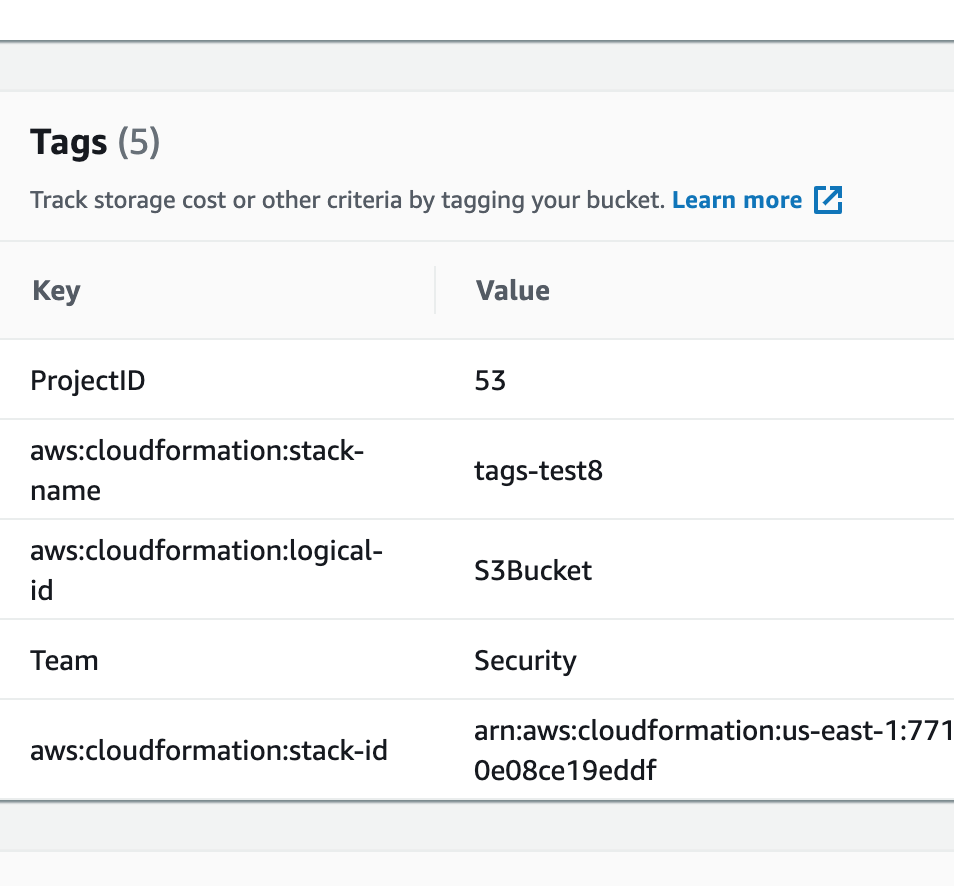
In addition to any tags you define for an individual resource, AWS CloudFormation automatically creates the following stack-level tags with the prefix aws: :
aws:cloudformation:logical-idaws:cloudformation:stack-idaws:cloudformation:stack-name
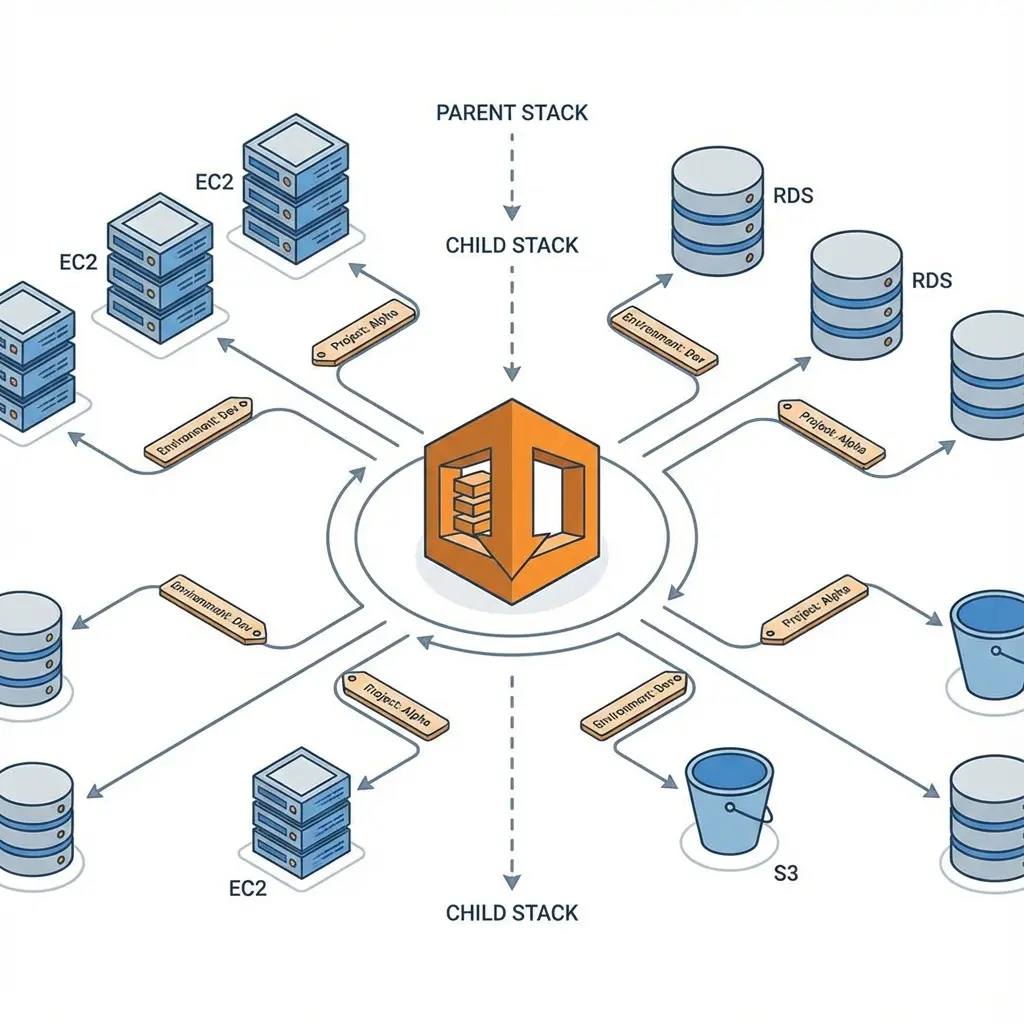
All stack-level tags, including automatically created tags, are propagated to resources that AWS CloudFormation supports.
Reference:
https://docs.aws.amazon.com/AWSCloudFormation/latest/UserGuide/aws-properties-resource-tags.html
This feature makes tagging all your resources extremely simple when using Cloudformation to provision resources. Apply tags once at the stack level, and all the tags propagate to the supported Stack resources.
Let’s test this out!
Lab Template( Also available as a separate file on this folder). This template will only work in the US-east-1 region due to hardcoded AMI value
1 | --- |
2 Methods of deploying this template:
- You can use this template and add tags to the Cloudformation Stack from the AWS Management Console.
OR - You can use the AWS CLI.
Steps:
Download the template above ( also available as a separate file on this folder)
We will use AWS CLI way of adding tags to the Stack and verify the propagation of the tag to the individual resources. Make sure the template file name in the CLI command matches the Cloudformation template file name.
aws cloudformation create-stack --stack-name cfn-tags-test --template-body file://tags-test-multiple-resource.yaml --tags Key=ProjectID,Value=53 Key=Team,Value=Security
You can verify if Cloudformation propagated tags to each resource by using the AWS Management Console. This image below shows how the tags section looked for the S3 bucket created with the above CloudFormation template.
Cleanup:
Make sure you delete your CloudFormation Stack to stop incurring charges.
aws cloudformation delete-stack --stack-name cfn-tags-test
Let me know if you have any questions.